qixinwei-pcba


Raspberry Pi Pico Series Board RP2040 Dual-Core ARM Cortex-M0+ MicroPython/C++ Programming
Raspberry Pi Pico Series Board Product Overview
The Raspberry Pi Pico series is the first microcontroller development board from the Raspberry Pi Foundation based on the self-developed RP2040 chip. The series includes four models: Pico, Pico H, Pico W, and Pico WH. All models feature the RP2040 dual-core ARM Cortex-M0+ processor (133MHz, 264KB SRAM) and support MicroPython, C, and C++ programming. The Pico W/WH models add the Infineon CYW43439 wireless chip with IEEE 802.11 b/g/n WiFi. H/WH models come with pre-soldered headers for out-of-the-box use. Ideal for microcontroller learning, IoT projects, and embedded development.
Raspberry Pi Pico Series Board Core Features
RP2040 Custom Chip: Raspberry Pi's first self-developed MCU, dual-core ARM Cortex-M0+ @ 133MHz, 264KB SRAM
Four Models Available: Pico (base)、 Pico H (pre-soldered headers)、 Pico W (WiFi)、 Pico WH (WiFi + pre-soldered headers)
Wireless Connectivity (W/WH Models): Infineon CYW43439 wireless chip with IEEE 802.11 b/g/n WiFi
2MB Flash Storage: Onboard 2MB Flash for program and firmware storage
Micro-USB Connection: Micro-USB for power and drag-and-drop program download, no programmer required
Flexible Power Supply: USB 5V or VSYS 1.8V-5.5V, operating current ≤300mA
40-Pin Header: Standard 40-pin interface, 5V/3.3V output, 3.3V GPIO logic, 12-bit 500KSPS ADC
Multi-Language Support: MicroPython, C, C++ with VS Code, Eclipse, and other IDEs
Wide Operating Temperature: -20°C to +80°C
Raspberry Pi Pico Series Board Applications
Microcontroller learning and teaching, IoT sensor nodes, robot controllers, DIY electronics, portable instrument development
Raspberry Pi Pico Series Board Key Advantages
Powerful RP2040 Chip: Dual-core ARM Cortex-M0+ @ 133MHz, 264KB SRAM, outperforms traditional 8-bit MCUs
Drag-and-Drop Programming: Recognized as mass storage device, no programmer or debugger needed
Four Models for Any Need: Base, pre-soldered, WiFi, WiFi+pre-soldered options for flexible project matching
MicroPython Rapid Development: Interactive MicroPython programming lowers the barrier for beginners
Strong Raspberry Pi Ecosystem: Complete documentation, rich libraries, and active community support
Ultra-Compact Design: As small as 21×51mm, 3-6g weight, easily embedded in portable devices
Why Choose QIXINWEI
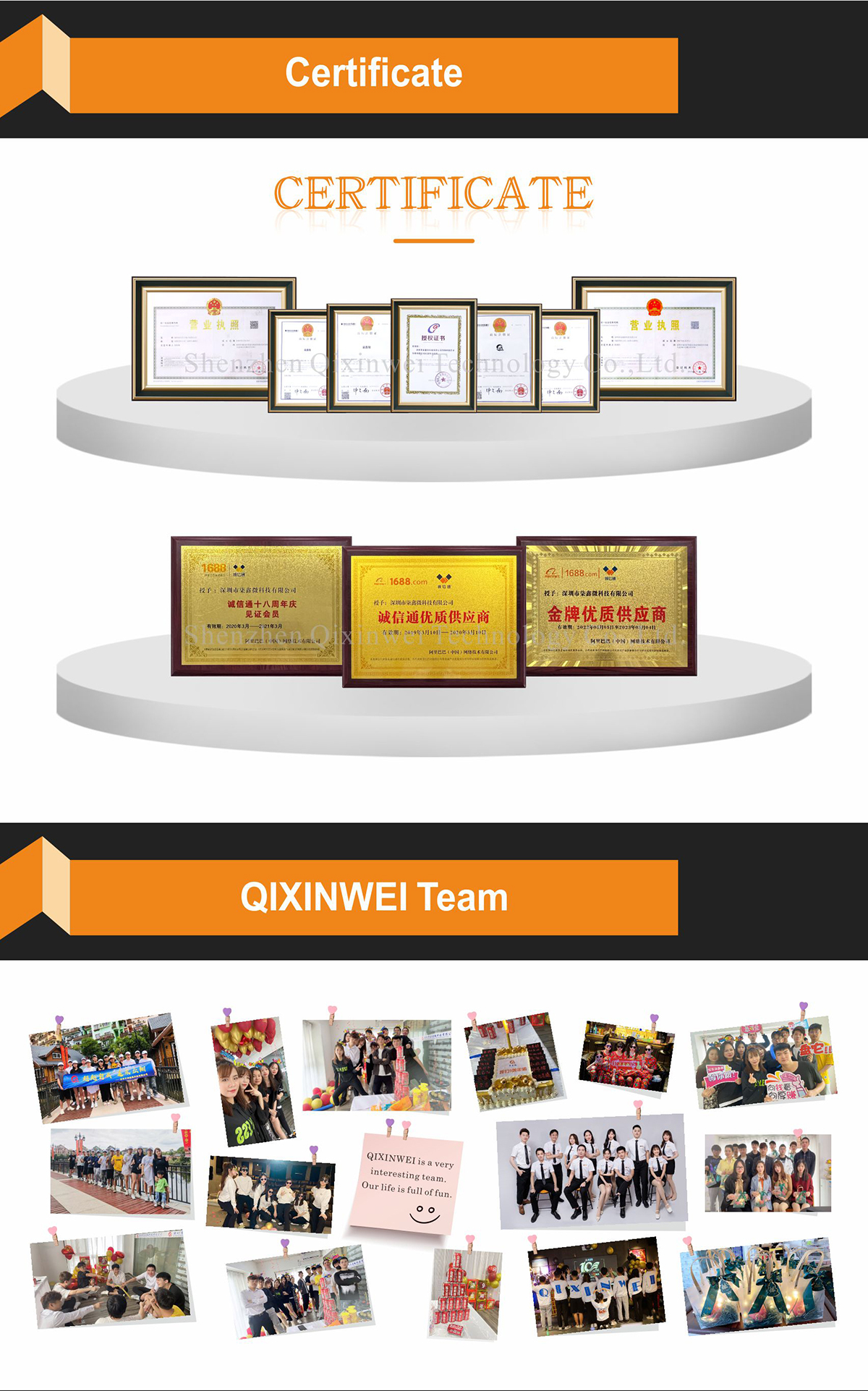
Years of experience in the electronics industry. Trusted by global customers.
Massive In-Stock Inventory – Ready to ship promptly
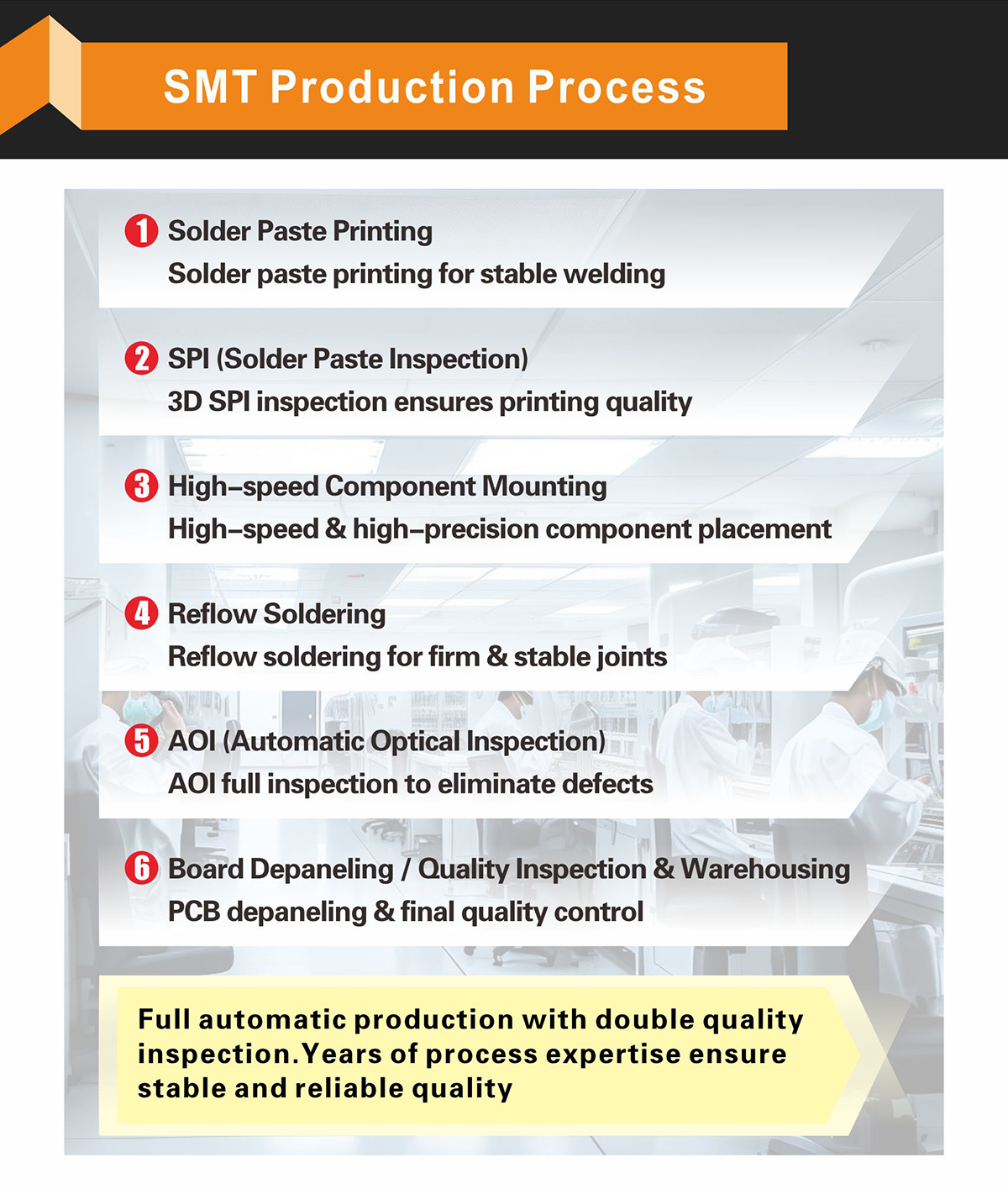
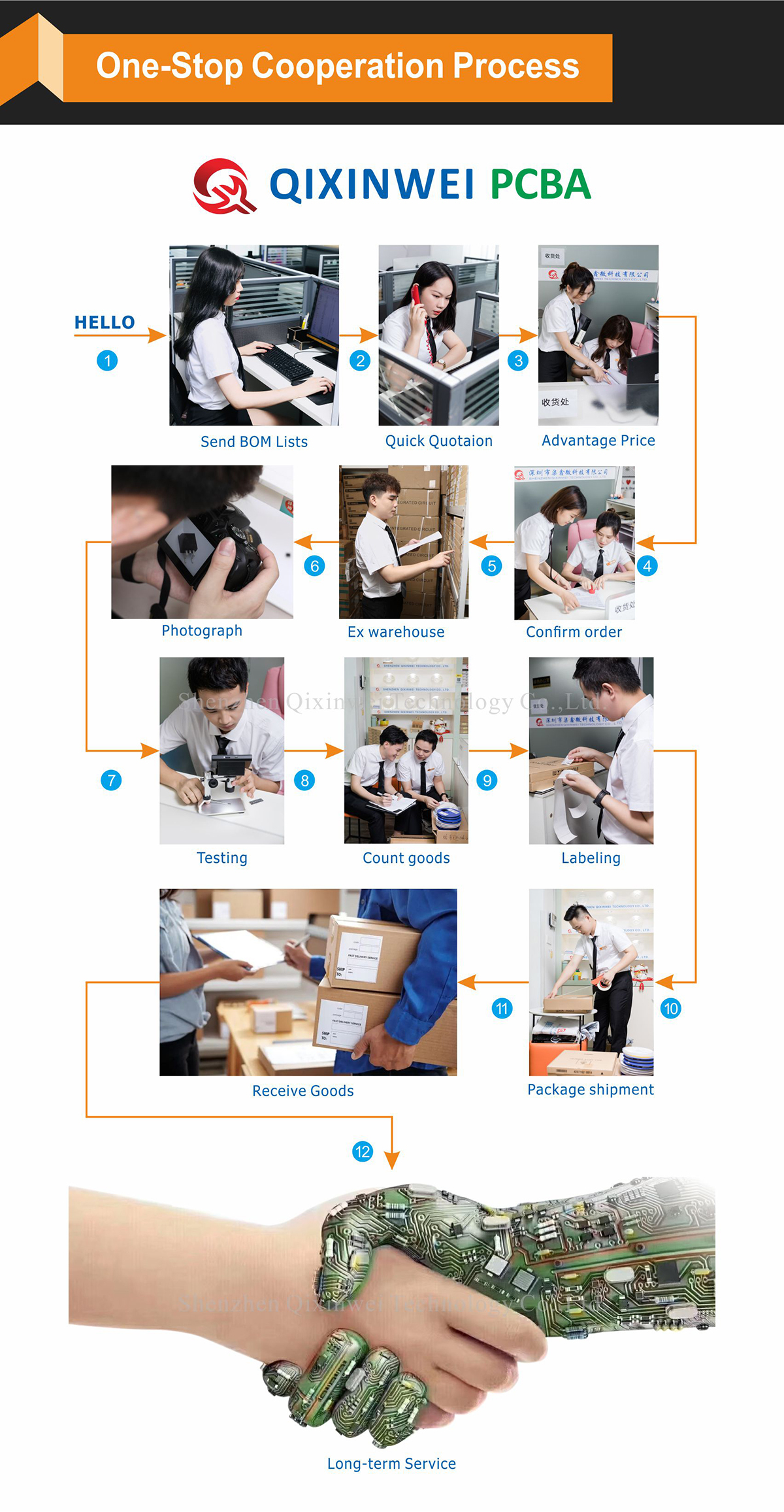
BOM Matching Service – One-stop solution, save time
PCBA Customization – Professional engineering team creates tailor-made solutions based on your needs
Cost-Effective & Efficient – Better channel, better cost
A dedicated team makes your procurement smoother.
Contact us for BOM quotes or PCBA inquiries


FAQ:
What is the Raspberry Pi Pico and its key specifications?
The Raspberry Pi Pico is a low‑cost, high‑performance microcontroller board built around the RP2040 chip, designed by the Raspberry Pi Foundation. Key specs: dual‑core ARM Cortex‑M0+ processor running at up to 133 MHz, 264 KB of SRAM, and 2 MB of on‑board QSPI Flash. It provides 26 multi‑function GPIO pins, including 2× UART, 2× SPI, 2× I2C, 16× PWM channels, 3× 12‑bit ADC inputs, and 8× Programmable I/O (PIO) state machines. The board supports MicroPython, C/C++, and CircuitPython, and is powered via micro‑USB (5 V) or an external 1.8–5.5 V input on the VSYS pin.What is the RP2040 chip and what makes it unique?
The RP2040 is a custom microcontroller chip designed by Raspberry Pi. It features a dual‑core ARM Cortex‑M0+ clocked at up to 133 MHz, on‑chip 264 KB multi‑banked SRAM, and support for external QSPI Flash up to 16 MB. Its standout feature is the PIO (Programmable I/O) block — 8 tiny state machines that can execute custom I/O protocols at high speed, off‑loading bit‑banging from the CPU. The chip also includes 2× UART, 2× SPI, 2× I2C, 16× PWM, and a 4‑channel 12‑bit ADC (one channel is used internally for the temperature sensor). The RP2040 has excellent documentation and is supported by a mature software ecosystem, including MicroPython, C/C++ SDK, and Arduino Core.How do I program the Raspberry Pi Pico? What languages are supported?
You can program the Pico in MicroPython, CircuitPython, or C/C++. For MicroPython, simply drag and drop a UF2 firmware file onto the board when it is in USB mass‑storage mode, then use Thonny or Mu Editor to write and run scripts. For C/C++, use the official Raspberry Pi Pico SDK and Visual Studio Code with the necessary extensions. The Arduino IDE also supports the Pico via the “Arduino Mbed OS RP2040 Boards” or “Raspberry Pi Pico/RP2040” core. All three approaches provide full access to the GPIO, PWM, ADC, I2C, SPI, UART, and the unique PIO peripherals.How much memory and storage does the Raspberry Pi Pico have?
The Pico has 264 KB of on‑chip SRAM (arranged as six independent banks), which is shared between the two cores. For program storage, it uses an external 2 MB QSPI Flash chip soldered on the board. This Flash holds your code (MicroPython or C/C++), data, and file system. The RP2040 supports Flash sizes up to 16 MB, and third‑party boards (like some Pico W variants or custom designs) may have larger Flash. There is no on‑chip EEPROM; persistent storage is achieved by using a portion of the Flash with a file system such as LittleFS.What is the difference between Raspberry Pi Pico and Pico W?
The standard Raspberry Pi Pico has no wireless connectivity. The Raspberry Pi Pico W adds an Infineon CYW43439 wireless chip, providing Wi‑Fi 4 (802.11n) and Bluetooth 5.2 (BLE) on the same RP2040 microcontroller. The Pico W is pin‑compatible with the original Pico, except that the wireless chip uses the SPI0 pins and a few GPIOs (LED is on a different pin). The Pico W can run MicroPython with built‑in network libraries or the C/C++ SDK with the lwIP stack. There is also a Pico 2 based on the newer RP2350, but it belongs to a different chip series.What GPIO pins and peripherals are available on the Pico?
The board exposes 26 multi‑function GPIO pins (GP0–GP28, with GP23–GP25 used for SMPS control and LED). These pins support 3.3 V logic levels (not 5 V tolerant). Available peripherals: 2× UART (UART0 on GP0/GP1, UART1 on GP4/GP5), 2× I2C (I2C0 on GP4/GP5, I2C1 on GP2/GP3), 2× SPI (SPI0 on GP16–GP19, SPI1 on GP10–GP13), 16× PWM (all GPIOs can be mapped to PWM), and 3× 12‑bit ADC inputs on GP26, GP27, GP28 (plus a fourth ADC channel connected to the internal temperature sensor). The PIO allows custom I/O protocols on any GPIO.How do I power the Raspberry Pi Pico, and what is the supply voltage range?
The Pico can be powered via the micro‑USB port (5 V) or by applying a voltage to the VSYS pin (1.8 V – 5.5 V). The on‑board Buck‑Boost SMPS generates the required 3.3 V for the RP2040 and GPIOs. The 3.3 V pin can be used to output regulated 3.3 V (up to 300 mA) to external components. When powered from USB, the Pico appears as a mass storage device for firmware upload. The GPIOs are not 5 V tolerant — connecting them directly to 5 V logic may damage the chip.Can the Raspberry Pi Pico be used with the Arduino IDE?
Yes. The Arduino IDE supports the RP2040 through two main cores: “Arduino Mbed OS RP2040 Boards” (official Arduino) and “Raspberry Pi Pico/RP2040” by Earle F. Philhower. Both offer full access to the GPIO, PWM, ADC, I2C, SPI, UART, and even the PIO peripherals through libraries. After installing the core, you can select “Raspberry Pi Pico” as the board and program it exactly like an Arduino Uno, using familiar functions such as digitalWrite(), analogRead(), and Serial.print().What is the PIO (Programmable I/O) on the RP2040, and why is it useful?
The PIO is a unique peripheral consisting of 8 independent state machines that can execute small programs (PIO instructions) to generate or capture custom I/O patterns at very high speed and with exact timing. It can emulate protocols like WS2812 (NeoPixel), I2S, VGA, DPI, quadrature encoders, and many others without using CPU cycles. Each state machine has its own FIFO buffers and can run independently of the Cortex‑M0+ cores. This offloads real‑time I/O tasks and allows the Pico to handle complex interfaces that would be impossible or CPU‑intensive on other microcontrollers.What are the most typical applications for the Raspberry Pi Pico?
The Pico is used in a vast range of projects: IoT devices and sensors (especially the Pico W), robotics (motor control, encoder reading), LED art and addressable strips (NeoPixel/WS2812), USB gadgets (keyboards, mice, MIDI controllers), data loggers, educational kits, and home automation. Its low cost, powerful RP2040 chip, and excellent support in MicroPython and C++ make it a top choice for both beginners and professional embedded developers.
- Models:
- Pico / Pico H / Pico W / Pico WH
- MCU:
- RP2040
- Core:
- Dual-Core ARM Cortex-M0+
- Frequency:
- 133MHz
- SRAM:
- 264KB
- Flash:
- 2MB
- Wireless (W/WH):
- CYW43439, IEEE 802.11 b/g/n WiFi
- USB Port:
- Micro-USB
- Power Supply:
- USB 5V / VSYS 1.8-5.5V
- ADC:
- 12-bit 500KSPS