Arduino & Embedded Electronics Starter Kits | IoT DIY Learning Modules
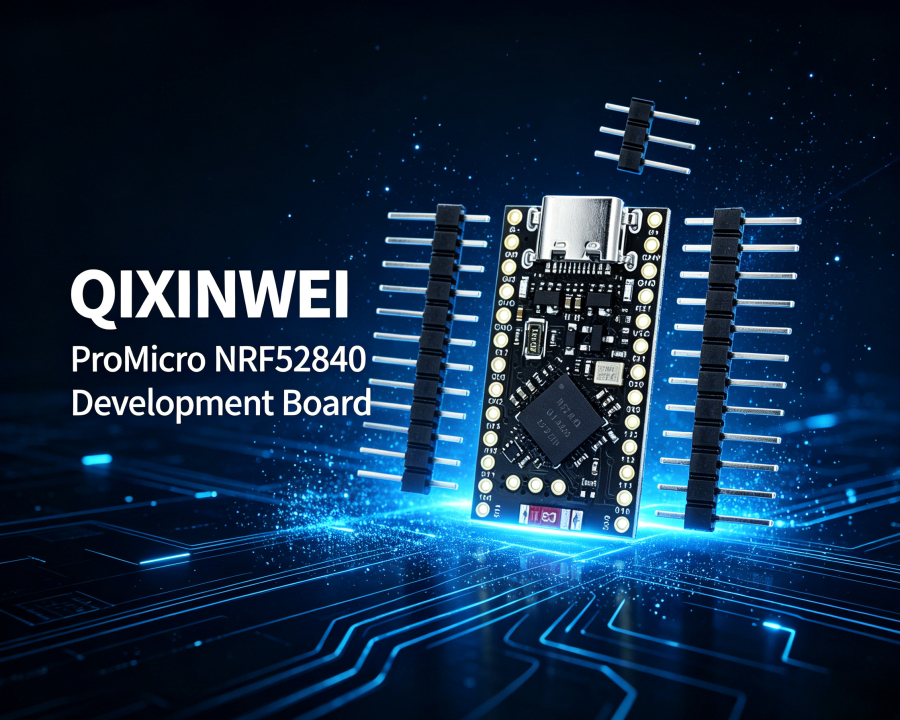
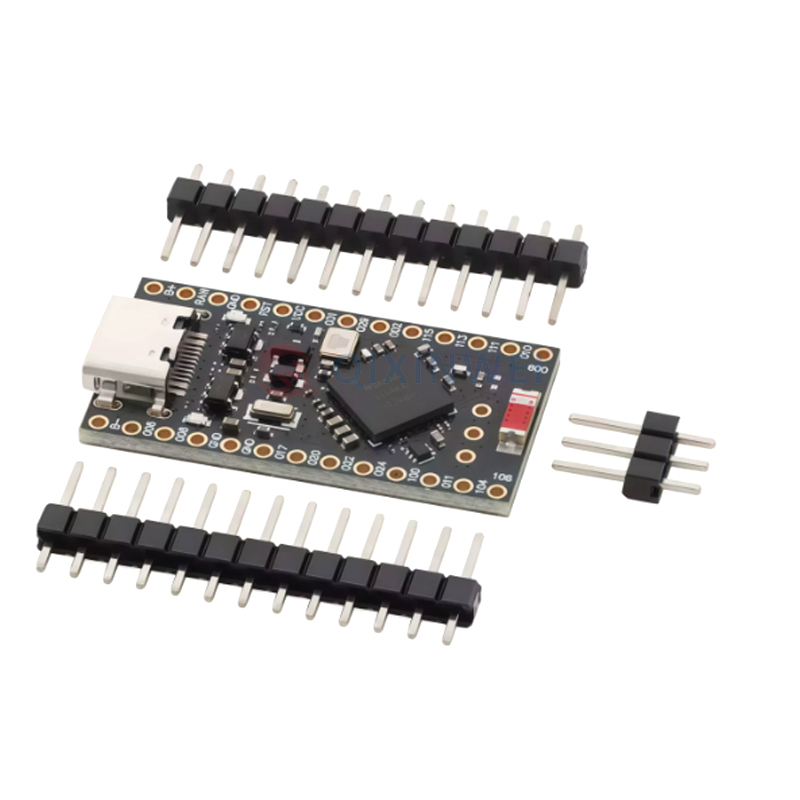
ProMicro NRF52840 Development Board — Wireless Bluetooth 5.0 ZigBee ARM Cortex-M4F Compatible with nice!nano V2.0 with Type-C Charging Management Low Power Consumption
What Is a ProMicro NRF52840 Development Board?
If you are building a wireless mechanical keyboard, a battery-powered IoT sensor, or a portable device that needs Bluetooth connectivity, you may have come across the ProMicro NRF52840 development board. So, what is a ProMicro NRF52840 board used for?
In simple terms, the ProMicro NRF52840 is a Pro Micro drop-in replacement development board that adds wireless capabilities to your projects. It is built around the nRF52840 SoC from Nordic Semiconductor — a high-performance, ultra-low-power multiprotocol System-on-Chip.
The board is pin-compatible with the original Arduino Pro Micro, meaning it can be used with almost any Pro Micro compatible keyboard or shield. It is also fully compatible with nice!nano V2.0 — the popular open-source wireless keyboard controller.
A typical ProMicro NRF52840 board features:
Wireless connectivity: Bluetooth 5.0, Thread, Zigbee, ANT, and 2.4GHz proprietary protocols
Powerful CPU: ARM Cortex-M4F processor running at 64MHz
Ample memory: 1MB Flash and 256KB RAM
Battery management: Onboard 3.7V Li-ion/Li-Po charging circuit
Type-C USB: Modern USB-C connector for programming and power
Ultra-low power: Standby current as low as ~20µA
This is why you can find ProMicro NRF52840 boards in custom wireless keyboards, IoT sensors, wearable devices, mesh network nodes, portable instruments, and many other battery-powered wireless applications.
However, there is an important detail that is often overlooked: the ProMicro NRF52840 comes in various clones and variants — including SuperMini NRF52840 and Mikoto. While they share the same core functionality, they may vary slightly in pinouts, LED colors, battery charging capabilities, and antenna design.
ProMicro NRF52840 vs nice!nano V2: Brand, Product and Model
The main component on the board is the nRF52840 multiprotocol SoC from Nordic Semiconductor, a Norwegian semiconductor company. The nRF52840 is widely used in advanced wireless applications requiring both performance and ultra-low power consumption.
The product commonly called a ProMicro NRF52840 board, Pro Micro nRF52840 development board, SuperMini nRF52840, or NRF52840 Pro Micro is actually a small PCB built around the nRF52840 IC. Depending on the manufacturer, the PCB may include different components, LED colors, antenna designs, or charging circuits.
Key naming notes:
ProMicro NRF52840 — the most common name after September 28, 2023 (previously called SuperMini NRF52840)
SuperMini NRF52840 — the older name for the same board
Nice!Nano V2 — the original open-source reference design that this board is compatible with
Mikoto — another variant in the same family
ProMicro NRF52840 vs nice!nano V2: Both boards are based on the nRF52840 SoC and share the same Pro Micro footprint. The ProMicro NRF52840 is often significantly cheaper than the official nice!nHowever, the nice!nano V2 is the official open-source reference design with more consistent quality control, while ProMicro NRF52840 boards are clones that may have slight variations.
This means that “ProMicro NRF52840” does not represent one completely standardized PCB design. Two boards may both be sold as ProMicro NRF52840 while having different USB connectors (Type-C vs Micro-USB), LED colors, or PCB layouts.
For procurement and engineering projects, it is therefore better to check the actual schematic and component configuration rather than relying only on the words “ProMicro NRF52840.”
The ProMicro NRF52840 uses the nRF52840 multiprotocol SoC which supports:
Bluetooth 5.0 — for low-energy wireless communication
IEEE 802.15.4 — for Zigbee and Thread mesh networking
ANT/ANT+ — for sport and fitness devices
2.4GHz proprietary protocols — for custom wireless applications
The board also includes hardware-accelerated security features:
True Random Number Generator (TRNG)
How Does a ProMicro NRF52840 Board Work?
The working principle is easier to understand than it may first appear.
1. Power Architecture
The board can be powered in two ways:
USB power — via the Type-C port (5V)
Battery power — via the 3.7V Li-ion/Li-Po connector (B+ and B- terminals)
When USB is connected, the onboard charging circuit charges the battery at 100mA (default) or 300mA (when the BOOST jumper is connected). The 3.3V LDO regulates voltage for the nRF52840 and external components.
2. Wireless Communication
The nRF52840 SoC integrates a 2.4GHz multiprotocol radio. It can operate in different modes:
Bluetooth 5.0 — for BLE applications
Zigbee/Thread — for mesh networking
ANT — for sports and fitness devices
2.4GHz proprietary — for custom protocols
The onboard PCB antenna provides good RF performance without requiring an external antenna.
3. GPIO and Peripherals
The board exposes 21 GPIO pins through through-hole headers (matching Pro Micro) plus 2 additional pads on the back. These pins support:
UART — P0.06 (TX) and P0.08 (RX)
I2C — P0.17 (SDA) and P0.20 (SCL)
SPI — P0.10 (MOSI), P1.11 (MISO), P1.13 (SCK)
ADC — analog-to-digital conversion
PWM — pulse-width modulation for LED control
GPIO — general-purpose digital I/O
4. Software Power Control (P0.13)
A unique feature of this board is the software-controlled power switch on pin P0.13. When P0.13 is set to LOW, it cuts power to the 3.3V rail and VCC pins, effectively turning off external components like RGB LEDs to save power. This is extremely useful for reducing idle power consumption.
5. Bootloader and Firmware
The board comes pre-flashed with the Adafruit nRF52 Bootloader. To enter the bootloader:
The board appears as a mass storage device called Nice!Nano
The factory default firmware is Blink-All-IO — all I/O pins toggle every 1 second.
What Is a ProMicro NRF52840 Board Used For?
The most common use of a ProMicro NRF52840 board is upgrading wired Pro Micro projects to wireless.
1. Wireless Mechanical Keyboards
This is the most popular application. The ProMicro NRF52840 is a drop-in replacement for the Pro Micro in custom mechanical keyboards. It supports:
ZMK Firmware — the recommended firmware for wireless keyboards
Bluetooth 5.0 — low-latency wireless typing
Split keyboard support — multiple boards communicating wirelessly
Ultra-low power — months of battery life on a single charge
The board is particularly popular in the mechanical keyboard community because it offers the same functionality as the nice!nano V2 at a fraction of the cost.
2. IoT Sensors and Data Loggers
The nRF52840's low power consumption makes it ideal for battery-powered sensors. For example:
Temperature and humidity sensors — transmitting data via BLE
Environmental monitors — logging data to the cloud
Asset trackers — reporting location periodically
3. Zigbee and Thread Mesh Networks
The board supports IEEE 802.15.4-based protocols like Zigbee and Thread, making it suitable for:
Smart home devices — lighting, sensors, switches
Industrial monitoring — mesh networks for large facilities
Matter-compatible devices — the emerging smart home standard
4. Wearable Devices
The small form factor and low power consumption make it suitable for wearables:
Fitness trackers
Smartwatches
Medical monitoring devices
5. Portable Instruments
The board can be used in battery-powered test equipment:
Handheld multimeters
Portable oscilloscopes
Field data loggers
6. DIY Wireless Projects
The board is popular in the maker community for:
Wireless game controllers
Bluetooth remote controls
Wireless sensor nodes
Drone telemetry modules
ProMicro NRF52840 Typical Applications
1. Custom Wireless Keyboard Build
A typical wireless keyboard build uses the ProMicro NRF52840 as the main controller:
Flash ZMK firmware for wireless operation
Connect the keyboard matrix to the GPIO pins
Add a 3.7V Li-Po battery for portable power
Use the onboard charging circuit to recharge via Type-C
The board's Pro Micro pin compatibility means it works with almost any Pro Micro keyboard PCB.
2. Battery-Powered IoT Sensor Node
For an environmental monitoring sensor:
Connect sensors (temperature, humidity, air quality) via I2C or GPIO
Use BLE to transmit data to a smartphone or gateway
Leverage the ~20µA standby current for long battery life
Use P0.13 to cut power to sensors when not in use
A 2000mAh battery can last for months in this configuration.
3. Zigbee Smart Home Device
For a smart home device:
Use the nRF52840's IEEE 802.15.4 support for Zigbee
Join an existing Zigbee network
Control lights, switches, or sensors
Operate on battery power for placement flexibility
4. Portable Data Logger
For a field data logger:
Record data from multiple sensors
Store data in the 1MB flash or external storage
Transmit data periodically via BLE or Zigbee
Recharge via Type-C between deployments
ProMicro NRF52840 Power Management
This is one of the most important aspects of the board — and one of the most misunderstood.
Standby Current: ~20µA
With the onboard LED disabled via software, the board can achieve ~20µA standby current. This is comparable to the official nice!nano V2.
With LED On: ~1mA
If the power LED is enabled, standby current increases to approximately 1mA. This is why the software-controlled power switch is so important.
Software Power Control (P0.13)
Setting P0.13 to LOW cuts power to the 3.3V rail and VCC pins, disabling external components. This is useful for:
Turning off RGB LEDs when not needed
Disconnecting power-hungry sensors
Extending battery life
Charging Current: 100mA (Default) / 300mA (BOOST)
The onboard charger provides 100mA by default. A 2000mAh battery takes approximately 20 hours to fully charge at this rate.
The BOOST jumper on the board increases charging current to 300mA. Important safety warning: Only connect the BOOST jumper when using a battery larger than 500mAh to avoid overheating or explosion risk.
ProMicro NRF52840 vs Other Wireless Solutions
The ProMicro NRF52840 is popular because it offers wireless capabilities in a Pro Micro form factor, but it is not the best solution for every project.
Compared with the official nice!nano V2:
Same functionality — both use nRF52840
Similar quality — clones may have slight variations
Same pinout — both are Pro Micro compatible
Compared with ESP32:
Lower power consumption — nRF52840 is more power-efficient
Different wireless protocols — ESP32 supports WiFi, nRF52840 supports BLE/Zigbee/Thread
Smaller form factor — Pro Micro footprint vs larger ESP32 boards
Better for battery power — nRF52840 is optimized for low-power applications
Compared with nRF52832:
More memory — 1MB Flash / 256KB RAM vs 512KB Flash / 64KB RAM
More protocols — supports Thread and Zigbee in addition to BLE
More GPIO — 48 pins vs 32 pins
Newer — nRF52840 is the more advanced SoC
A Practical Point Many ProMicro NRF52840 Users Miss
The biggest misunderstanding about the ProMicro NRF52840 is that not all clones are created equal.
Quality Variations:
Some clones use cheaper components
Bootloader Compatibility:
To enter bootloader: short RST to GND twice within 0.5 seconds
The board appears as a mass storage device called "Nice!Nano"
Pin 11 and 12 are NOT available:
Unlike the original Pro Micro, pins D11 and D12 are not available on the ProMicro NRF52840. This is a common trap for users migrating from Arduino Pro Micro.
Reserved Pins to Avoid:
P0.14 and P0.16 are reserved and can cause system issues if used
P0.04 is used for battery voltage monitoring
First Power-On Behavior:
The factory default firmware is Blink-All-IO — all I/O pins toggle every 1 second. Don't be alarmed if all your pins are blinking!
ProMicro NRF52840 vs SuperMini NRF52840: What's the Difference?
They are the same board.
The ProMicro NRF52840 and SuperMini NRF52840 are identical — the name was changed from SuperMini to ProMicro on September 28, 2023. Both names refer to the same product.
Some sellers still use "SuperMini NRF52840" while others use "ProMicro NRF52840" — they are interchangeable terms for the same board.
ProMicro NRF52840 Module FAQ
Q1: What is a ProMicro NRF52840 board used for?
A ProMicro NRF52840 board is a Pro Micro drop-in replacement that adds wireless capabilities (Bluetooth 5.0, Zigbee, Thread, ANT, and 2.4GHz) to your projects. It is most commonly used for wireless mechanical keyboards, IoT sensors, wearable devices, and mesh network nodes.
Q2: Is ProMicro NRF52840 compatible with nice!nano V2?
Yes. The ProMicro NRF52840 is fully compatible with nice!nano V2.0. It uses the same pinout, same bootloader, and supports the same firmware (ZMK, CircuitPython, etc.).
Q3: What is the difference between ProMicro NRF52840 and nice!nano V2?
Both boards use the nRF52840 SoC and share the same Pro Micro footprint.
Q4: What is the standby current of ProMicro NRF52840?
With the onboard LED disabled, standby current is approximately ~20µA. With the LED enabled, standby current increases to about 1mA.
Q5: How do I enter the bootloader?
Short RST to GND twice within 0.5 seconds. The board will appear as a mass storage device called "Nice!Nano" for dragging and dropping .uf2 firmware files.
Q6: What is the charging current for the battery?
Default charging current is 100mA (takes 20 hours to charge a 2000mAh battery). Connecting the BOOST jumper increases charging current to 300mA — only use with batteries larger than 500mAh to avoid explosion risk.
Q7: What firmware does ProMicro NRF52840 support?
The board supports:
ZMK Firmware — recommended for wireless keyboards
CircuitPython — for Python-based development
Arduino — via nRF52 core
Zephyr RTOS — for professional embedded development
nRF Connect SDK — Nordic's official SDK
Q8: Can I use ProMicro NRF52840 with Arduino IDE?
Yes. Install the nRFMicro-like boards or Adafruit nRF52 board package in Arduino IDE's Board Manager. Select "nicenano" as the board.
Q9: What pins are not available on ProMicro NRF52840?
Pins D11 and D12 are not available on the ProMicro NRF52840. Pins P0.14 and P0.16 are reserved and should be avoided.
Q10: Is ProMicro NRF52840 good for battery-powered projects?
Yes. The ultra-low standby current (~20µA) and onboard battery charger make it ideal for battery-powered projects. A 2000mAh battery can last for months in low-power applications.
Is ProMicro NRF52840 a Good Choice?
The ProMicro NRF52840 development board remains extremely popular because it solves a very specific problem extremely well: adding wireless capabilities to Pro Micro projects.
For a custom wireless keyboard, IoT sensor, Zigbee device, or wearable project, the ProMicro NRF52840 offers:
Drop-in compatibility with Pro Micro footprints
Powerful hardware — ARM Cortex-M4F, 1MB Flash, 256KB RAM
Multiple wireless protocols — Bluetooth 5.0, Zigbee, Thread, ANT, 2.4GHz
Ultra-low power — ~20µA standby current
Onboard charging — 3.7V Li-ion/Li-Po support
Modern USB-C — easy programming and power
Affordable price — much cheaper than the official nice!nano V2
But ProMicro NRF52840 should not be viewed as a universal solution. It is designed for low-power wireless applications, and it does not replace boards with WiFi (like ESP32) or higher-performance processors for compute-intensive tasks.
For engineers and buyers, the real selection criteria should be wireless protocol requirements, power budget, form factor, firmware ecosystem, and cost rather than simply searching for a “wireless Pro Micro.”
If you are developing a new wireless product, looking for ProMicro NRF52840 boards, nRF52840 modules, or other electronic components, or facing component shortages and need alternative parts, QIXINWEI can support component sourcing, BOM matching, model comparison, and supply-chain solutions. For engineering projects that require stable supply rather than simply the lowest unit price, selecting the right component configuration at the beginning can save much more time during testing and mass production.
0users like this.