Arduino & Embedded Electronics Starter Kits | IoT DIY Learning Modules
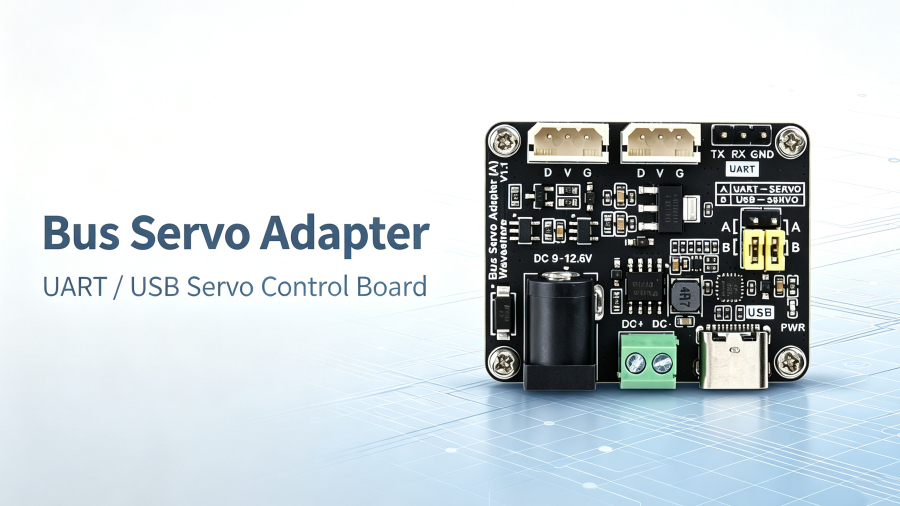
The Bus Servo Adapter (A) Guide: UART & USB Control, ST/SC Series Compatibility, and How to Drive 253 Servos from Raspberry Pi, ESP32, or PC
What the Bus Servo Adapter (A) is
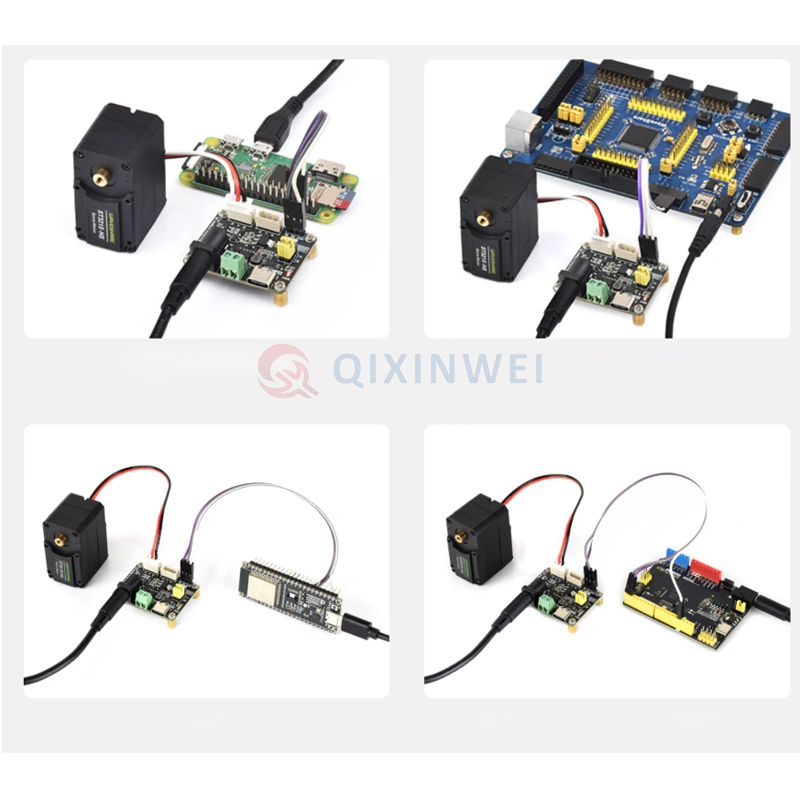
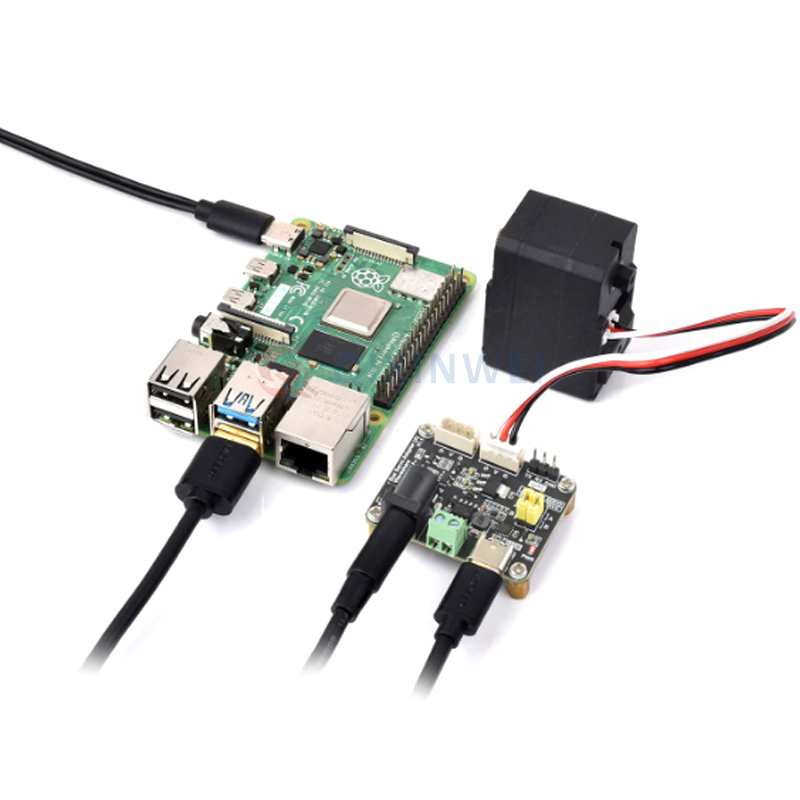
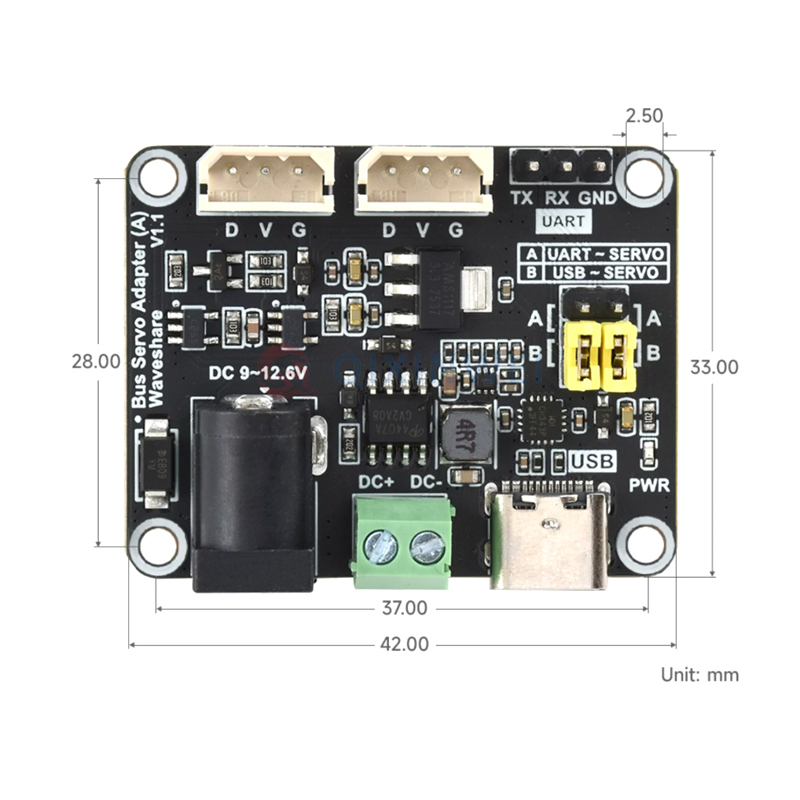
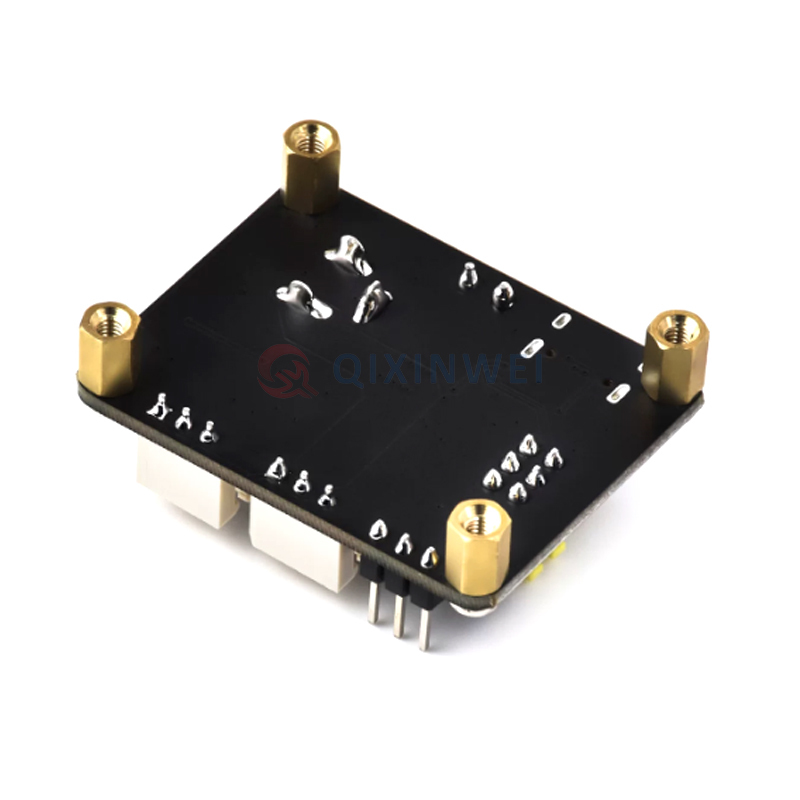
The Bus Servo Adapter (A) is a compact serial bus servo driver board from Waveshare that integrates servo power supply and control circuitry into a 42 x 33 mm footprint. It supports ST and SC series serial bus servos, can control up to 253 servos simultaneously (with adequate power), and reads back each servo’s current angle, load, voltage, and operating mode. The board offers two control paths: UART for connecting to a Raspberry Pi Zero, ESP32, Arduino, or STM32 development board, and USB Type-C for connecting to a PC, Raspberry Pi 4B, Jetson Orin Nano, or RDK X3. A jumper cap selects between the two modes. The USB-to-serial chip is CH343, and the board’s maximum current handling is 5A.
What the board actually has to survive
A driver board in a production robot is not a bench prototype. It is the interface between a host controller and a stack of servos that draw real current. It has to hold up when the mechanism stalls, when the battery sags, and when the user types the wrong command.
· Voltage matching is non-negotiable. The board does not have onboard voltage regulation — input voltage equals output voltage. The 9~12.6V label on the DC jack is specified for ST series servos, but the board also accepts 5~8.4V for SC series servos. If you connect a 12V supply to a 7.4V SC servo, you will damage the servo. Match the supply to the servo before you plug anything in.
· Current budget, not just voltage. The board is rated for 5A maximum, and that current flows through the servo power bus. A single ST3215 can draw several amps at stall. If you are running six of them in a hexapod leg, the power supply — not the driver board — becomes the limiting factor. Plan for a supply that can deliver the stall current of all servos that can move at once.
· ID management. The board distinguishes servos by their ID number, not by which port they are plugged into. If two servos share the same ID, neither will respond correctly. Before assembling the mechanism, assign unique IDs to every servo using the demo software. This is a five-minute step that saves hours of debugging.
· Jumper cap position. The control mode jumper must be in position A for UART and position B for USB. This is a physical switch that determines which interface is active. If the board does not respond to commands, check the jumper before checking the code.
· Connection polarity. The UART connection between the host and the driver board is RX-to-RX and TX-to-TX — not the crossed RX-to-TX you might expect from other serial devices. The D, V, and G markings on the servo interface correspond to Digital Signal, Positive Power, and Ground respectively.
UART vs USB: which control path to use
The choice depends on the host platform and the development workflow.
· USB control (jumper at B): Plug the board into a PC, Raspberry Pi 4B, Jetson Orin Nano, or RDK X3 with a USB Type-C cable. The host sees a CH343 USB-to-serial device, and you can send commands from Python, C++, or a serial terminal. This is the fastest path for prototyping and for robot projects where the host already has a USB port free.
· UART control (jumper at A): Connect the board’s UART header directly to the host’s serial pins. This is the choice for Raspberry Pi Zero, ESP32, Arduino, and STM32 projects where USB ports are scarce or where the host is embedded inside the mechanism. The connection is RX-to-RX and TX-to-TX, and the baud rate must match the servo — 1,000,000 by default for Waveshare servos.
Where the Bus Servo Adapter (A) fits — and where it doesn’t
This board is the right choice when the project needs more than a handful of servos, when feedback (angle, load, voltage) is required, or when wiring simplicity matters. Robot arms, hexapods, humanoid platforms, wheeled robots with steering joints, and camera gimbals all fit.
It is the wrong choice when the project uses standard PWM hobby servos. The board is designed for serial bus servos — ST and SC series — which communicate over a shared bus and have unique IDs. Standard servos with three-wire PWM interfaces are not compatible.
It is also the wrong choice when the servos run on a voltage outside the board’s input range. The board accepts 5~12.6V depending on the servo series, but high-voltage servos (24V, 48V) need a different driver entirely.
The selection checklist we actually use
· Servo series and voltage. Confirm whether the project uses ST or SC series servos, then match the supply voltage. ST series typically runs 9~12.6V; SC series runs 5~8.4V. Do not mix series on the same bus unless the voltage range overlaps and the protocol is compatible.
· Power supply headroom. Calculate the worst-case simultaneous stall current of all servos that can move at once. The board handles 5A, but the supply must handle more than the board does.
· Host interface. Does the host have a free USB port, or does it need UART? The jumper position determines which path is active. Decide before the mechanism is assembled.
· ID assignment workflow. The servos ship with default IDs (often 000 or 001). Plan the ID assignment step into the assembly process, not after the robot is built.
· Cable management. The board has two identical servo control interfaces, so servos can be daisy-chained from either port. Plan the cable routing so the last servo in the chain is not pulling on the connector.
At QIXINWEI (Shenzhen Qixinwei Technology Co., Ltd.), we have spent 13 years supplying bus servo adapters, ST/SC series servos, and the broader robotics and embedded control ecosystem alongside full PCBA assembly. If you are mid-selection and want a second pair of eyes on the driver board, the servo series, or the power architecture, send the spec or the BOM and we will flag the risks before you commit.
FAQ
Q: What is the difference between UART and USB control on this board?
A: UART control connects the board directly to a host’s serial pins and is used for devices without USB ports, such as Raspberry Pi Zero, ESP32, Arduino, and STM32. USB control connects via the Type-C port and is used for PCs, Raspberry Pi 4B, Jetson Orin Nano, and similar hosts. The jumper cap selects which interface is active: position A for UART, position B for USB.
Q: Can I use the Bus Servo Adapter (A) with standard PWM servos?
A: No. The board is designed for serial bus servos (ST/SC series) that communicate over a shared bus with unique IDs. Standard three-wire PWM servos are not compatible and will not respond to commands.
Q: What is the maximum number of servos I can control?
A: The board can theoretically control up to 253 serial bus servos, but the practical limit depends on your power supply. Each servo draws current, and the board’s maximum current rating is 5A. If you are running many servos simultaneously, the power supply — not the driver board — becomes the limiting factor.
Q: How do I change a servo’s ID?
A: The demo software provided by Waveshare supports changing servo IDs. You connect a single servo, run the ID-change routine, and assign a unique number. This must be done before connecting multiple servos to the bus, because the board distinguishes servos by ID and two servos with the same ID will conflict.
Q: Why is my servo not responding to commands?
A: Check these in order: (1) the jumper cap is in the correct position for your control mode (A for UART, B for USB); (2) the supply voltage matches the servo’s rated voltage; (3) the baud rate matches — Waveshare servos default to 1,000,000; (4) the servo ID is unique and the host is addressing the correct ID; (5) the UART connection is RX-to-RX and TX-to-TX, not crossed.
Q: Can I power the board from a 2S LiPo battery?
A: Yes, but the voltage must match the servo requirements. A 2S LiPo at full charge is 8.4V, which is within range for SC series servos but below the typical 9~12.6V range for ST series servos. Confirm the servo’s voltage range before connecting the battery.
Q: Does the board have onboard voltage regulation?
A: No. The output voltage equals the input voltage — the board passes the supply directly to the servos. If you need a regulated rail, you must regulate it externally before it reaches the board.
Q: What USB-to-serial chip does the board use?
A: The board uses the CH343 USB-to-serial chip. Most operating systems recognize it without additional drivers, but if the board is not detected on Windows, install the CH343 driver from WCH.
Q: Can I connect two servos to the two control interfaces at the same time?
A: Yes. The two servo control interfaces on the board are identical, and you can use either one or both. The servos communicate over the same bus, so they are daisy-chained rather than independently addressed.
Q: What baud rate should I use?
A: The baud rate must match the connected servo. Waveshare’s servos ship with a default baud rate of 1,000,000. If you have changed the servo’s baud rate, the host must be configured to match.
0users like this.